On the bottom of the page (Footer) you can easily place page information.
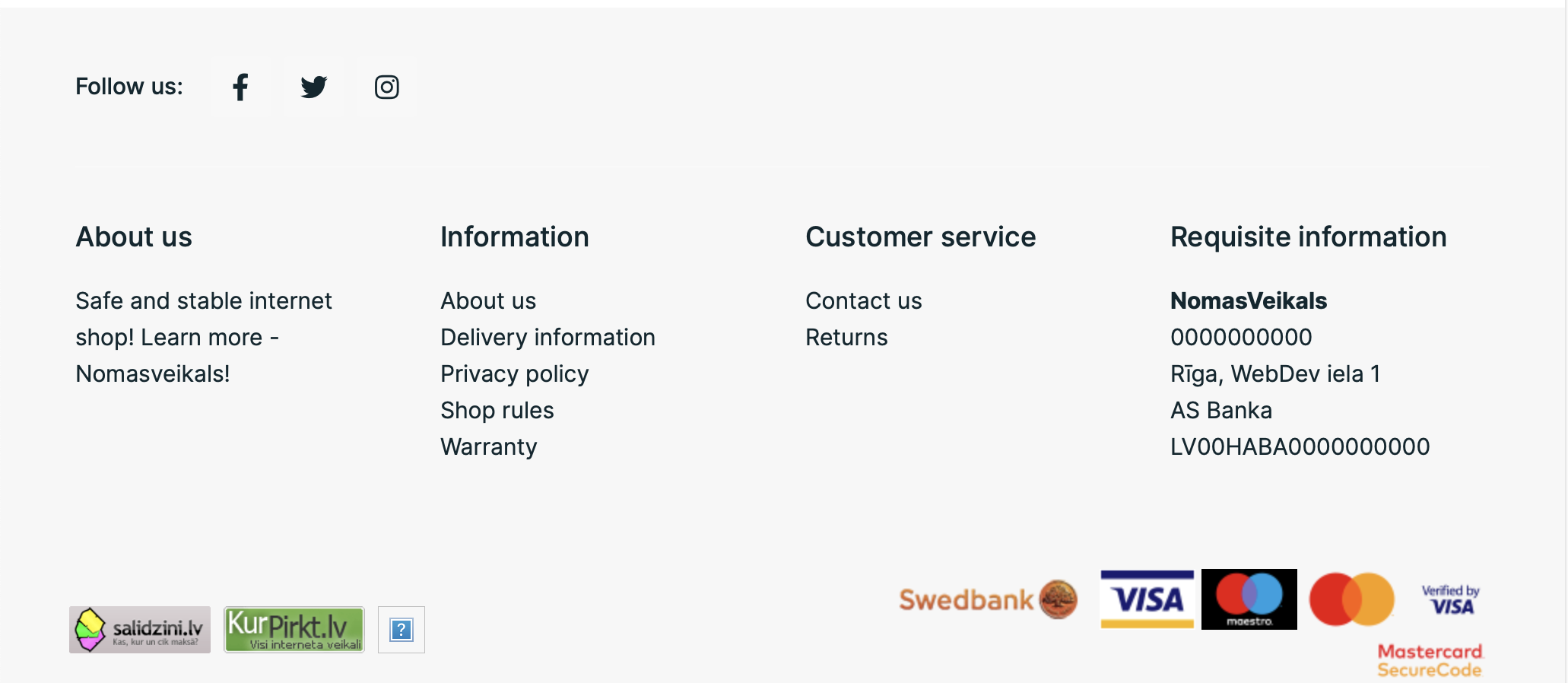
In this section you can add and edit relevant articles. Allowed number of columns is 4.
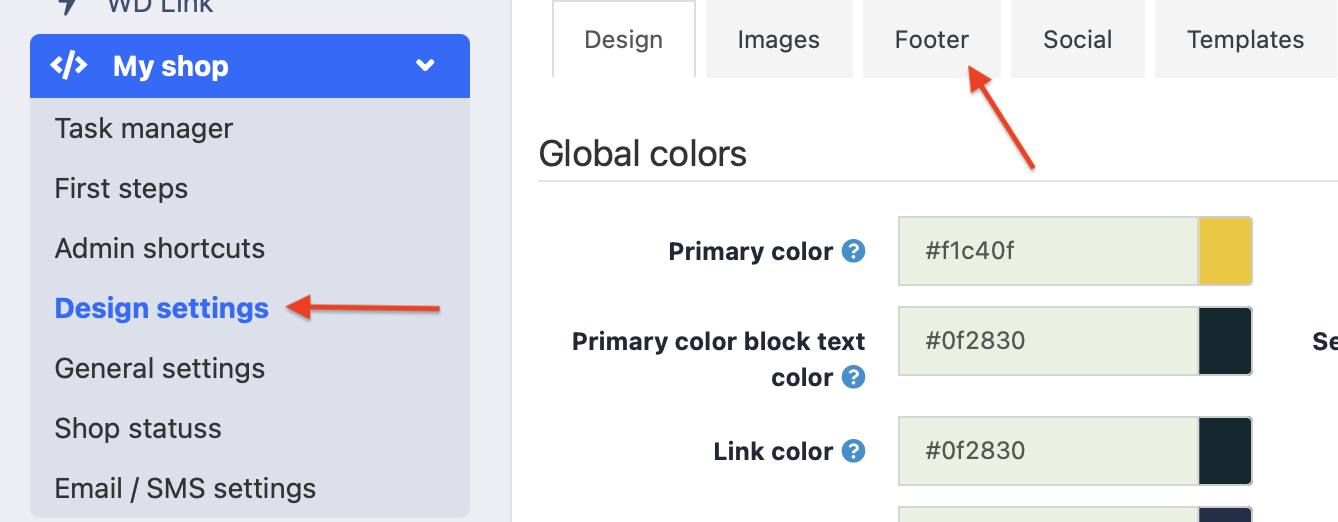
To add information, go to My Shop >> Design Settings and select the lower part of the page section.
Here you can enter the necessary information. If the store has multiple languages, text must be entered in each separately.
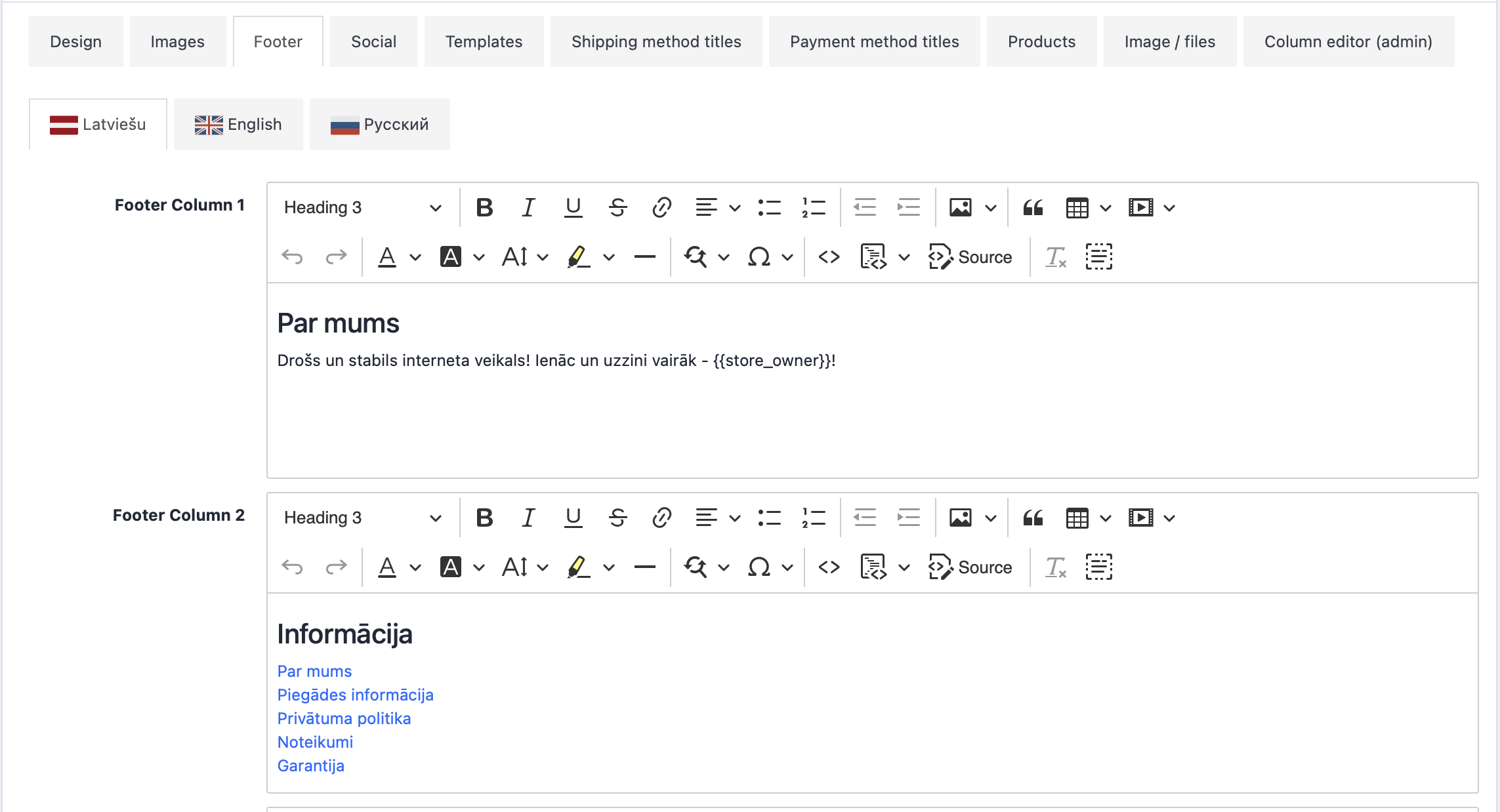
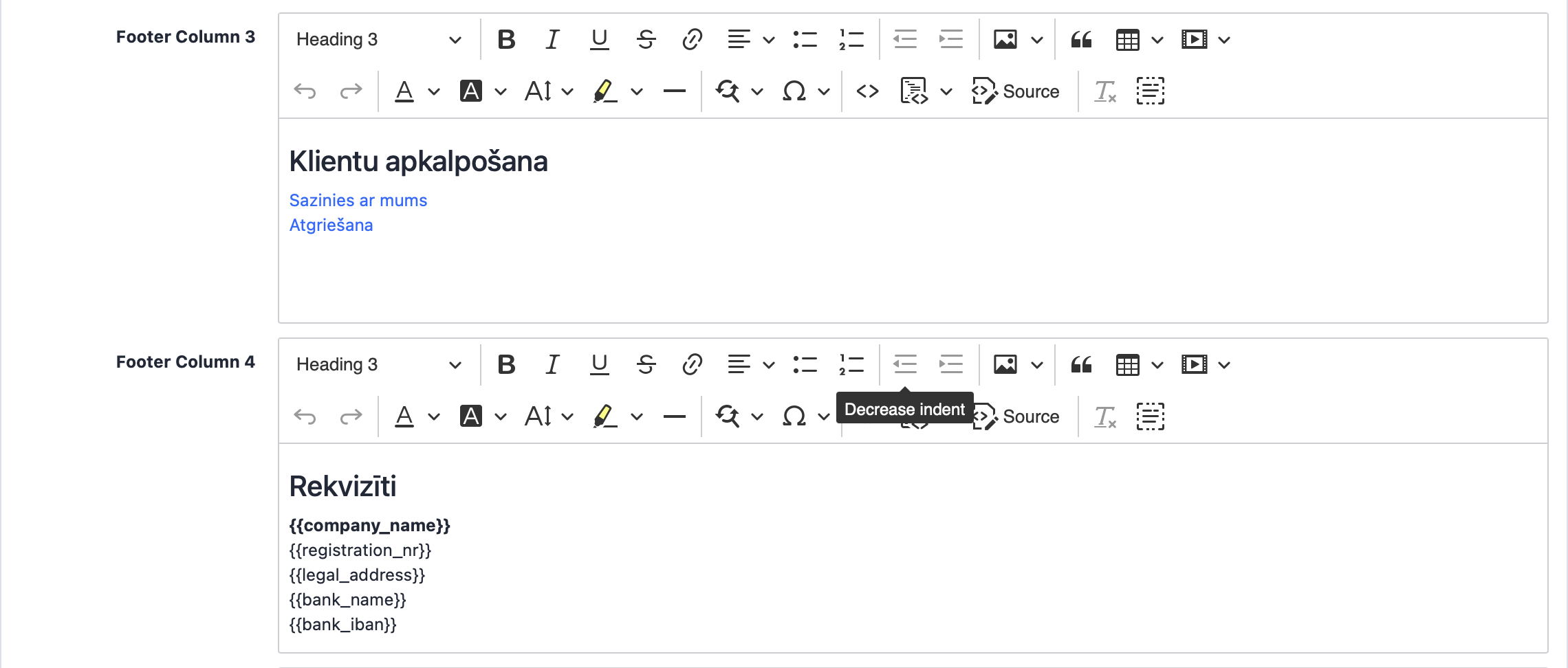
To add a new section, click on the "Source" button.

Copy and Paste one section what start with "< li >" and end with "< /li >" below

Now you can change new section name and link to the section. After changes press again "Source" button to exit code view. Now you can save changes.